TL;DR. A Yelp AI agent is software that does the recurring Yelp work for a local business or an agency: checking listings, watching competitors, drafting review replies, mapping a market and reporting what changed. You can build one on the official Yelp Places API, which starts at $229 a month on its Base plan, or run the work as a goal with a browser-based agent such as Katteb, which starts at $19 a month. They are not the same product. The API gives you licensed, structured data at volume; an agent does the workflow at human pace. This guide covers the use cases, the official API pricing as published on 8 October 2026, a worked cost comparison with every assumption stated, and how to decide.
Yelp is one of those platforms nobody in a local business can ignore and almost nobody enjoys managing. The listing needs to stay accurate, reviews arrive at odd hours, competitors open down the street, and the owner who should be reading all of it is busy running the shop. An agency with twenty local clients has the same problem twenty times over.
That is why “Yelp AI agent” has become a real search. People are not looking for another dashboard. They want something that does the Yelp chores on a schedule and tells them what needs a human decision. Before you build or buy one, it helps to know what the official route costs, what an agent can and cannot take off your plate, and which of the two your job actually needs.
What is a Yelp AI agent?
A Yelp AI agent is an AI system that carries out tasks involving Yelp without someone clicking through every step. In practice it combines three things:
- Access to Yelp information, either through the official API or by reading Yelp pages in a browser the way a person would.
- A plan: which listings to check, what counts as a change worth reporting, which reviews need a reply.
- Memory and a schedule, so this week’s check is compared with last week’s instead of starting from zero.
The last point is what separates an agent from a script. A script fetches data. An agent notices that a competitor’s rating dropped from 4.5 to 4.1 over three weeks, that two of your one-star reviews mention the same late delivery, and that your Sunday hours on Yelp do not match the hours on your website, and then tells you in plain words.
Which jobs can a Yelp AI agent take on?
Here are the use cases that come up most often for owners, marketers and agencies. Each one is a recurring job with a clear output, which is the kind of work agents handle well.
1. Keep your own listing accurate
Hours, phone number, address, website link, categories and photos drift out of date, especially across several locations. An agent can compare the listing with your website and your Google profile every week and give you a short list of mismatches to fix. If you sign in to your own Yelp for Business account, it can prepare the edits for you to approve.
2. Watch the competitors that matter
Pick the ten or forty businesses you actually compete with. Each week the agent records rating, review count, price level, new photos and anything notable in recent reviews, then reports what moved. Over a quarter this becomes a simple trend line you can act on: who is gaining reviews fastest, which complaints keep appearing about a rival, which new opening is pulling attention.
3. Draft replies to reviews
Replying to reviews is one of the most visible things a local business does on Yelp, and one of the first to slip. An agent can read each new review, classify it (praise, a fixable complaint, a dispute) and draft a reply in your voice. The safe pattern is to keep a human approval step: the agent drafts, you read and post, or you approve and it posts from your own signed-in account.
4. Map a market before you open or expand
Thinking about a second location? An agent can search a neighbourhood for your category, list every competitor with rating and review volume, note price levels and opening hours, and summarise the gaps, for example “no well-rated brunch place open before 9am within a mile”. That turns a weekend of browsing into a one-page brief.
5. Build a prospect list for B2B selling
If you sell to local businesses (software for restaurants, cleaning services for clinics, marketing for salons), Yelp is a natural map of who exists in a city. An agent can turn a category and a city into a short, verified list of businesses with their website, then find the right contact on the business’s own site. Keep volumes modest and stay within Yelp’s terms; for bulk data use the licensed API described below.
6. Report to clients if you are an agency
Agencies spend hours each month collecting the same Yelp numbers for client reports. An agent can collect them on a fixed day, write two or three sentences on what changed, and drop the result in a sheet or an email draft for you to check.
What does the official Yelp API offer?
Yelp sells programmatic access through the Yelp Places API (formerly known as Yelp Fusion). According to Yelp’s developer documentation, it covers business search, phone search, business match, business details, review excerpts, review highlights, events, categories and autocomplete, all under https://api.yelp.com/v3.
Two licensing details matter more than the endpoint list:
- It is a display licence. Yelp describes the Places API as designed for consumer-facing products that show Yelp content on third-party apps and websites. For internal, back-end analysis Yelp points to a separate B2B product, the Yelp Insights API, whose price is not published on the same page.
- Reviews are excerpts. Depending on the plan you get up to three or up to seven review excerpts per business, and Yelp’s FAQ says plans provide the first 160 characters of a review. If your agent’s job is reading full reviews, the API alone will not give it the whole text.
Yelp API pricing as published on 8 October 2026
These are the figures shown on Yelp’s official Places API pricing page (business.yelp.com/data/products/places-api/) when we read it on 8 October 2026. All prices are in US dollars and per month. Check the page before you budget, because prices change.
| Plan | Monthly price | Each additional 1,000 calls | What is included |
|---|---|---|---|
| Base | $229 | $5.91 | Base attributes and search filters, no review excerpts, no photos |
| Enhanced | $299 | $6.57 | Enhanced attributes, up to 3 photos and 3 review excerpts, no Review Highlights |
| Premium | $643 | $14.13 | Premium attributes and filters, up to 12 photos, up to 7 review excerpts, Review Highlights endpoint |
Every plan comes with a 30-day free trial that includes 5,000 API calls, and the page lists early access to Yelp’s AI API (100 daily calls) on all three. The page also states “Minimum 1,000 API calls billed daily” under its calculator and asks anyone needing more than 150,000 monthly calls to contact sales.
Yelp’s own calculator on the same page gives these starting monthly costs by daily call volume:
| Daily API calls | Base | Enhanced | Premium |
|---|---|---|---|
| 1,000 | $229 | $299 | $643 |
| 5,000 | $899 | $999 | $2,148 |
| 10,000 | $1,710 | $1,900 | $4,087 |
| 25,000 | $2,970 | $3,300 | $7,095 |
The API price is only the data line. A working agent built on it also needs a developer’s time, hosting, a scheduler, a language model to read and write, and somewhere to store history. Those costs depend entirely on your stack, so we have left them out of the comparison below rather than guess.
What does a Katteb agent cost?
Katteb publishes two self-serve plans on katteb.com/pricing, billed in US dollars:
- Lite: $19 a month ($190 a year). One agent working on one goal on a daily, weekly or monthly schedule, up to 30 hours of agent time a week, unlimited chat, images and video, and a Katteb inbox so the agent can sign up for things on your behalf.
- Goals: $99 a month ($990 a year). Ten agents, each on its own goal, up to 120 hours of agent time a week, hourly schedules, up to five agents running at once, and three users.
Katteb’s agents work in a real browser on Katteb’s servers, signed in to the sites you connect once, and they report every day on what they did. Katteb does not sell Yelp data and does not include a Yelp data licence. When an agent reads Yelp, it reads it the way you would in a browser, and the same terms that apply to you apply to it.
Cost comparison: a worked example
A fair comparison needs a concrete job. Here is one, with every assumption written down so you can swap in your own numbers.
Currency and period: US dollars, one calendar month, list prices as published on 8 October 2026, before tax.
The job (Scenario A, a local agency or a multi-location owner):
- Track 40 competitor listings plus 3 of your own once a week.
- Read new reviews on your own listings and draft replies for approval.
- Send one short weekly report.
Assumptions on the API side: one weekly run uses about 1 search call, 43 business details calls and 43 review calls, so roughly 87 calls a week or under 400 a month. That is far below the 1,000 calls a day that Yelp’s page says are billed as a minimum, so the bill is the plan’s base price. Because the job needs review excerpts, Base does not fit and Enhanced is the cheapest plan that does.
Assumptions on the Katteb side: one goal on a weekly schedule fits the Lite plan. We assume the weekly run takes well under the 30 hours of agent time Lite includes each week; a check of 43 listings at a few minutes each is a few hours.
| Line | Yelp Places API (Enhanced) | Katteb Lite |
|---|---|---|
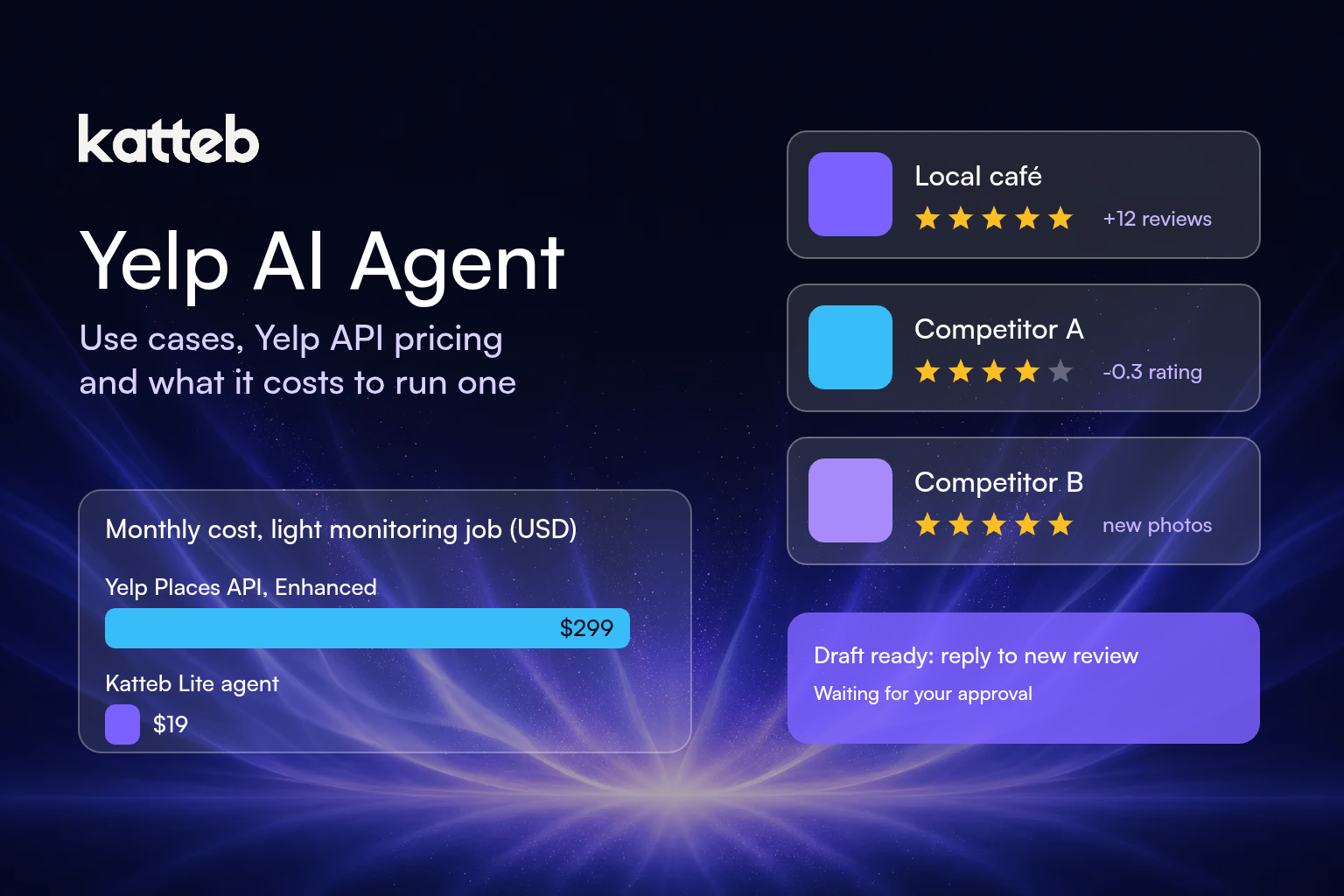
| Subscription per month | $299.00 | $19.00 |
| Usage charges at ~400 calls a month | $0.00 (under the billed minimum) | $0.00 (within agent time) |
| Build, hosting, language model | Not included, depends on your stack | Included in the plan |
| Listed monthly total | $299.00 | $19.00 |
| Listed yearly total | $3,588 (12 × $299) | $190 (annual billing) |
On these assumptions the listed monthly cost of the Katteb plan is $280 lower ($299 − $19), and the yearly difference is $3,398 ($3,588 − $190). That difference is real, but read it alongside what you are buying: the API price includes a licence to display Yelp content in a product, and Katteb’s price does not.
Scenario B, a product that shows Yelp data to its own users: say an app makes 5,000 calls a day. Yelp’s calculator puts that at $899 a month on Base or $999 on Enhanced. An agent working at human pace in a browser is not built for that volume and, more importantly, gives you no right to republish Yelp content. Here the API is the right tool and the comparison with Katteb does not apply.
How to decide which route fits
Use these questions instead of the price tag alone.
- Will Yelp content appear inside your own product? Then you need a Yelp licence, which means the Places API or a conversation with Yelp’s sales team.
- How many lookups a day? Thousands a day points to the API. Dozens a week points to an agent.
- Is the work mostly reading data, or doing things with it? Drafting replies, updating your own listing, writing client reports and following up with prospects are workflow, not data.
- Do you have a developer? The API needs code, a scheduler and maintenance. An agent needs a clear sentence describing the outcome.
- Who approves what goes out? Any public reply or listing edit should have a named person who signs it off, whichever route you choose.
Put your Yelp chores on a schedule
Describe the Yelp work you want done in one sentence, for example “check my 3 listings and 40 competitors every Monday and draft replies to new reviews”. Katteb writes the plan, then an agent runs it and reports every day.
Setting up a Yelp agent as a goal
If the agent route fits, the setup is mostly about writing a good goal. A goal is an outcome with a deadline; the agent plans the work, runs it on a schedule, keeps a memory of what it did and reports to you.
Step 1: Write the outcome in one sentence
Good: “Every Monday for 90 days, check my 3 Yelp listings against my website, record rating and review count for these 40 competitors, draft a reply to every new review, and send me a one-page summary.” Weak: “Help with Yelp.”
Step 2: Give it the inputs
The list of your listings, the competitor list (or the category and area to build one), your reply tone with two or three example replies you liked, and the things it must never do, such as offering refunds in a public reply.
Step 3: Decide the approval rule
For the first month, have every reply come to you as a draft. When the drafts need almost no edits, you can decide whether to let routine thank-you replies go out directly and keep complaints for yourself.
Step 4: Read the weekly report and adjust
The first two reports will show you what is noise. Remove competitors that never change, add the ones that keep coming up in reviews, and tighten what counts as “worth flagging”.
When should you not use an agent for Yelp?
- Bulk data collection. If you need thousands of businesses a day, use the licensed API. Reading Yelp pages at volume is slow and can conflict with Yelp’s terms.
- Republishing Yelp content. Showing Yelp ratings or reviews in your app or site requires a licence.
- Anything that games reviews. Soliciting, filtering or writing reviews breaks Yelp’s rules and is not something any agent should do for you.
- Disputes and legal matters. A review that alleges harm or a dispute with Yelp itself needs a person.
Common mistakes
- Comparing plan prices without the job. $229 and $19 are not comparable until you know the call volume, whether you need reviews, and whether you need display rights.
- Forgetting the billed minimum. Yelp’s page says a minimum of 1,000 calls is billed daily, so a light user pays the full base price.
- Expecting full reviews from the API. The plans return excerpts, not the full text.
- Letting replies go out unchecked from day one. Start with drafts, earn trust, then loosen the rule.
- Tracking too many competitors. Forty that matter beat four hundred that do not.
Frequently asked questions
Is there an official Yelp AI agent?
Yelp lists early access to an “AI API” with 100 daily calls on its Places API plans and offers a Yelp Conversational AI API for businesses. A Yelp AI agent in the sense of this guide is something you build or run yourself on top of Yelp data or Yelp pages.
How much does the Yelp API cost?
On 8 October 2026 Yelp’s page listed Base at $229 a month, Enhanced at $299 and Premium at $643, plus $5.91, $6.57 or $14.13 per additional 1,000 calls, with a 30-day free trial of 5,000 calls.
Is the Yelp API free?
Only during the 30-day trial, which includes 5,000 calls. After that you subscribe to a commercial plan.
Can a Katteb agent reply to Yelp reviews?
It can read new reviews and draft replies, and it works in a browser signed in to accounts you connect. We recommend keeping your approval on every public reply, at least at the start.
Is Katteb cheaper than the Yelp API?
For the light monitoring job in Scenario A, the listed price is lower: $19 against $299 a month. For a product that needs Yelp data at volume or the right to display it, Katteb is not a substitute and the API is the route to price.
Where should I start?
Write down the Yelp job you want done every week, then compare the plan you get with what you would build. You can write a plan for free at katteb.com/chat and browse more examples in the Goals library. For the wider picture, read our guides on AI customer service agents and AI lead generators.
Ready to try it? Start a goal for your Yelp work and let Katteb write the plan.

About Ahmed Ezat
Ahmed Ezat is the founder behind Katteb, an AI writing and SEO platform built to help businesses create fact-checked, search-ready content that ranks in both traditional search and AI-powered results. With more than a decade of hands-on experience in SEO, SaaS, and digital marketing, Ahmed has launched and scaled multiple AI products serving hundreds of thousands of users across the MENA region and globally.