TL;DR. Zapier’s price depends on how many tasks you run each month. On 9 October 2026 the Professional plan started at $29.99 a month for 750 tasks on monthly billing ($19.99 a month billed yearly) and climbed to $193.50 a month for 10,000 tasks. Team started at $103.50 a month for 2,000 tasks ($69 billed yearly). Zapier Agents is a separate add-on: 400 activities a month free, or Agents Pro at $50 a month ($400 a year) for 1,500 activities. Zapier is the right tool for high-volume, app-to-app automation. For browser work that needs judgement, such as research, checking sites you are signed into and writing a report, a goal-driven agent like Katteb can cost less. The three scenarios below show where that is true and where it is not.
People who search for “Zapier price” are usually close to a decision. They have built a few Zaps on the free plan, hit the 100-task ceiling, and now want to know which tier they need, what happens when they go over, and whether the new Agents add-on is worth paying for. Some are asking a bigger question: is a workflow builder even the right kind of tool for the job they have in mind?
This guide answers both. First it sets out exactly what Zapier charges, read from Zapier’s own pricing page. Then it explains what people mean by a “Zapier AI agent”, where Zapier Agents fits, and where a browser-based agent such as Katteb fits instead. Every cost comparison uses a scenario we state in full, in US dollars, for one month, at list prices before tax, checked on 9 October 2026.
What does Zapier cost in October 2026?
Zapier sells its platform (Zaps, Tables, Forms, MCP and the SDK) on a task slider. You choose how many tasks you expect to use, and the price for Professional and Team moves with it. A task is a successful action step. Triggers, filters, paths and Formatter steps do not count, and polling for new data is free, according to Zapier’s help article on task usage. A Zap that triggers on a new email and then uploads a file and posts in Slack uses two tasks per run.
| Tasks per month | Professional, monthly billing | Professional, yearly billing (per month) | Team, monthly billing | Team, yearly billing (per month) |
|---|---|---|---|---|
| 100 | Free plan ($0) | Free plan ($0) | – | – |
| 750 | $29.99 | $19.99 | – | – |
| 1,500 | $58.50 | $39 | – | – |
| 2,000 | $73.50 | $49 | $103.50 | $69 |
| 5,000 | $133.50 | $89 | $178.50 | $119 |
| 10,000 | $193.50 | $129 | $253.50 | $169 |
| 20,000 | $283.50 | $189 | $373.50 | $249 |
| 50,000 | $433.50 | $289 | $598.50 | $399 |
| 100,000 | $733.50 | $489 | $898.50 | $599 |
Source: zapier.com/pricing, read on 9 October 2026 with the task slider set to each tier. USD, before tax. Enterprise is “contact for pricing”. Above 2,000,000 tasks Zapier asks you to contact sales.
Three details on the pricing page change the real bill:
- Yearly billing saves about a third. Zapier labels the yearly option “Save 33%”. At 2,000 tasks on Professional, that is $73.50 versus $49 a month.
- Going over the tier does not stop your Zaps. Zapier says that if you reach your limit you are switched to pay-as-you-go unless you turn it off or move up a tier. Its help centre adds that pay-per-task billing runs up to three times your plan’s task limit, with emails at 80% and 100%.
- AI and code steps cost more tasks. AI steps, Code by Zapier and the SDK now use the same task pool, and the rate depends on the model tier or runtime. A call through Zapier MCP counts as two tasks.
What is Zapier Agents, and what does it cost?
Zapier Agents is sold as an add-on, priced separately from the task slider. Agents usage is counted in “activities”, not tasks, so it does not draw down your Zap allowance.
| Agents plan | Monthly billing | Yearly billing | Activities per month | Listed features |
|---|---|---|---|---|
| Agents Free | $0 | $0 | 400 | Live data sources, web browsing, Chrome extension |
| Agents Pro | $50 | $400 a year ($33.33 a month) | 1,500 | Same features, higher quota |
| Agents Enterprise | Contact sales | Contact sales | Custom | Sharing across the organisation, audit logs, restricted apps |
Source: zapier.com/pricing, Agents tab, read on 9 October 2026.
Because tasks and activities are separate, a team that runs Zaps and agents pays for both. Someone on Professional at 2,000 tasks who also needs Agents Pro pays $73.50 + $50 = $123.50 a month on monthly billing, or $49 + $33.33 = $82.33 a month on yearly billing.
What do people mean by a “Zapier AI agent”?
The phrase gets used for three different things, and they are priced differently:
- A Zap with an AI step. A trigger fires, an AI step summarises or classifies something, and the result goes into another app. This is still a fixed workflow. You decide every step in advance and the AI fills in one box. It is billed in tasks.
- A Zapier Agent. You describe a behaviour, connect apps and data sources, and the agent decides which actions to take when it runs. It is billed in activities on the Agents add-on.
- An outside agent that uses Zapier as its tool layer. An assistant connects to Zapier MCP or the SDK and calls Zapier actions as tools. Each successful MCP tool call is two tasks.
All three are useful. What they have in common is that they act through app integrations, through APIs Zapier has already connected. That is Zapier’s strength: more than 9,000 apps and very reliable app-to-app plumbing. It is also its limit. If the work happens on a website with no integration, inside an account that only has a web interface, or across pages that need reading and judgement, the workflow has nothing to call.
Where a workflow builder and a goal-driven agent differ
A workflow builder is the right shape when the steps are known and the volume is high. A new form entry should become a CRM contact and a Slack message within a minute, thousands of times a month. A goal-driven agent is the right shape when you know the result you want but not every step. “Find twenty new suppliers that ship to Egypt and list their minimum order” is an example. So is “check our three competitors’ pricing pages every Monday and tell me what changed”.
| Question | Zapier Zaps | Zapier Agents | Katteb agent |
|---|---|---|---|
| How is it billed? | Tasks per month | Activities per month (add-on) | Flat plan with agent time per week |
| How does it act? | App integrations and webhooks | App integrations, live data sources, web browsing | A real browser on Katteb’s servers, signed into the sites you use |
| Best at | High-volume, instant app-to-app sync | Light agent behaviour inside your Zapier stack | Multi-step browser work toward a goal, with memory and a daily report |
| Weak at | Open-ended research, sites without an integration | Very high volume | Sub-minute triggers and thousands of tiny syncs |
| Who designs the steps? | You | You describe a behaviour; the agent chooses actions | You state the goal; the agent plans and adjusts |
Katteb’s side of this table comes from katteb.com/pricing: every run opens a real browser on Katteb’s servers, plans include “as many sites as the goal needs, signed in once”, a Katteb inbox so the agent can register for services, memory of what it did, and a daily report.
What a Zapier-style AI agent is actually good for
Here are six jobs people try to give a “Zapier AI agent”, with the tool that usually fits each one best.
1. Lead capture and routing
A form submission becomes a CRM record, an enrichment lookup and a Slack alert. This is pure Zapier territory. It is instant, high-volume and app-to-app. An agent adds nothing but delay.
2. Competitor and price monitoring
Open five competitor pages each week, compare prices and plan names with last week, and write the changes in one paragraph. Most competitor sites have no integration, and the pages change layout. This suits a browser agent that remembers the last result.
3. Prospect research
Find businesses that match a description, read their sites, and collect a contact route and one reason each is a fit. This is research with judgement. Zapier Agents can browse, and a Katteb agent can also work inside sites you are signed into, such as LinkedIn or a directory account.
4. Content publishing chores
Publish a draft to WordPress, set the featured image, request indexing in Google Search Console and log the URL in a sheet. Parts of this have integrations and parts, such as Search Console’s inspection tool, do not. A browser agent can do the whole chain.
5. Inbox and support triage
Label incoming emails, draft replies to common questions and send the rest to a person. Zapier with an AI step does this well when the volume is high and the categories are fixed.
6. Weekly reporting
Pull numbers from four dashboards, some with APIs and some without, and send one summary. If every source has an integration, a Zap plus an AI step is cheap. If two of them are web-only dashboards, an agent that can sign in and read them saves the manual part.
Hand the browser work to an agent
Describe the job in one sentence, for example “every Monday, check these five competitor pricing pages and send me what changed”. Katteb plans it, runs it in a real browser and reports back.
What does Katteb cost?
From katteb.com/pricing on 9 October 2026, billed in US dollars, before tax:
| Plan | Monthly | Yearly | What it includes |
|---|---|---|---|
| Lite | $19 | $190 ($15.83 a month) | 1 agent working on your goal every day, week or month; 30 hours of agent time a week; tasks on demand; 1 user |
| Business | $99 | $990 ($82.50 a month) | 10 agents, each on its own goal; 120 hours of agent time a week; hourly to monthly schedules; up to 5 agents at once; 3 users |
| Enterprise | From $1,000 a month | Custom | Unlimited agents, white-label dashboard, dedicated support |
Katteb measures agent time, not tasks or activities. A run that fails on Katteb’s side does not count against it, and the run card shows what is left before you press Run.
Three cost scenarios, with every assumption shown
Assumptions for all three: US dollars, one month, list prices read on 9 October 2026, before tax, one user, monthly billing unless stated. We do not count the time it takes to build Zaps or write goals, and we assume the Katteb work fits within the plan’s weekly agent time. We do not have a published figure for how many Zapier activities a given browser job uses, so the scenarios state an activity count as an assumption.
Scenario A: a founder who needs agent work, not more Zaps
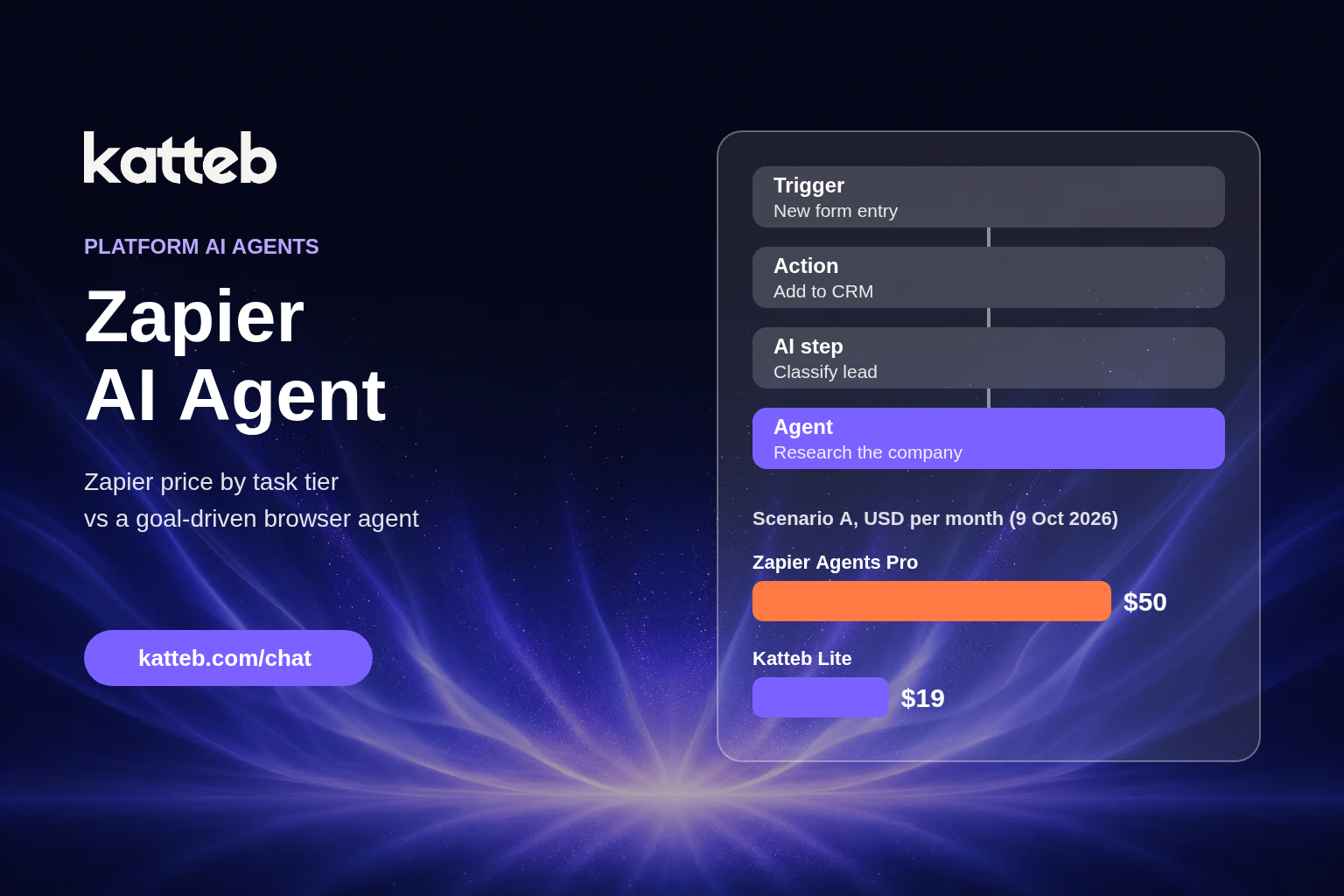
The founder already runs a few simple Zaps inside the free 100 tasks. The new need is agent work: weekly competitor checks, prospect research twice a week and a daily summary. We assume this comes to about 900 Zapier activities a month, which is above the free 400.
| Option | Monthly billing | Yearly billing |
|---|---|---|
| Zapier Free (Zaps) + Agents Pro | $0 + $50 = $50 | $400 a year |
| Zapier Free (Zaps) + Katteb Lite | $0 + $19 = $19 | $190 a year |
| Difference | $50 − $19 = $31 a month less with Katteb | $400 − $190 = $210 a year less with Katteb |
In this scenario Katteb Lite costs $31 a month less on monthly billing ($31 × 12 = $372 a year) and $210 a year less on yearly billing. This only holds if the job is one goal (Lite runs one) and fits in 30 hours of agent time a week. If the founder’s agent needs fit inside Zapier’s free 400 activities, Zapier costs $0 and is the cheaper option.
Scenario B: an operations team syncing apps at volume
The team moves 10,000 records a month between forms, a CRM, a billing tool and Slack, and needs each one within a minute or two. There is no research and no browsing.
| Option | Monthly cost |
|---|---|
| Zapier Professional, 10,000 tasks, monthly billing | $193.50 |
| Zapier Professional, 10,000 tasks, yearly billing | $129 a month ($1,548 a year) |
| Adding Katteb Lite on top | +$19 with no work removed from Zapier |
We do not call either option cheaper here, because Katteb is not built to replace this job. Thousands of instant app-to-app syncs belong in a workflow builder. Adding an agent would only add $19 a month of cost. Zapier is the answer.
Scenario C: a growing business with many goals
A business runs 2,000 Zap tasks a month and wants ten separate agent goals: lead lists for two markets, review replies, competitor tracking, supplier research and so on. We assume the Zapier side of the agent work would need more than Agents Pro’s 1,500 activities.
| Option | Monthly billing |
|---|---|
| Zapier Professional 2,000 tasks + Agents Pro | $73.50 + $50 = $123.50, but over the 1,500-activity cap; the next step is Agents Enterprise, which has no public price |
| Zapier Professional 2,000 tasks + Katteb Business | $73.50 + $99 = $172.50 |
Here the Katteb route costs $49 a month more than Zapier Professional + Agents Pro ($172.50 − $123.50). It only makes sense if the agent work really is beyond 1,500 activities or needs the signed-in browser. Because Zapier Agents Enterprise has no published price, we cannot give a fair figure for the like-for-like Zapier option, so we do not claim either side is cheaper.
When is Zapier simply the answer?
- The work is triggered by an event and must happen within minutes.
- Every app involved has a Zapier integration.
- The steps never change, and the volume is in the thousands.
- You need an audit trail of every step in one place.
- Your agent needs fit inside the free 400 activities.
In any of those cases, pick the Zapier tier from the table above and stop there. Buying an agent on top will not make a simple sync better.
When a goal-driven agent earns its place
- The work happens on websites with no integration, or inside accounts that only have a web interface.
- You know the result you want but not the exact steps, and they change week to week.
- The job needs reading, comparing and writing, not just moving fields.
- You want the agent to remember last week’s result and report what changed.
- You would otherwise pay a person to do the browser part by hand.
How to set up the split in one afternoon
- List every automation you run or want, and mark each one “event to app” or “result I want”.
- Keep the “event to app” jobs in Zapier and size the task tier from the table, adding about 20% headroom.
- Write each “result I want” job as one sentence with a measure and a deadline, for example “ten qualified suppliers in a sheet by Friday”.
- Give those sentences to an agent as goals and let it run for a week.
- After a week, compare the agent’s output with what you would have paid for activities or staff time, and keep whichever is cheaper per finished result.
Common mistakes when pricing Zapier
- Counting triggers as tasks. They are free. Count successful action steps only.
- Forgetting AI-step multipliers. A premium model tier can use several tasks per step.
- Ignoring pay-as-you-go. Overage is on by default. Decide whether you want it.
- Treating Agents as included. It is a separate add-on with its own quota.
- Buying an agent for a sync job. If the steps are fixed and the apps are connected, a Zap is cheaper and faster.
FAQ
How much is Zapier per month?
On 9 October 2026, Free was $0 for 100 tasks. Professional started at $29.99 a month for 750 tasks on monthly billing or $19.99 a month billed yearly. Team started at $103.50 a month for 2,000 tasks or $69 a month billed yearly. Enterprise was contact-for-pricing.
Is Zapier Agents included in the Professional plan?
No. Agents is listed as an add-on with its own plans: free for 400 activities a month, or Agents Pro at $50 a month or $400 a year for 1,500 activities.
What happens if I exceed my Zapier tasks?
Zapier moves you to pay-as-you-go unless you turn it off or upgrade, and emails you as you approach the pay-per-task limit.
Is Katteb a Zapier alternative?
Only for part of the work. Katteb does browser-based work toward a goal. It is not a replacement for instant app-to-app syncs. Many teams use both. You can try a goal on Katteb next to your existing Zaps.
Where did these prices come from?
Zapier prices came from zapier.com/pricing and Zapier’s help article on task usage. Katteb prices came from katteb.com/pricing. All were read on 9 October 2026, in USD and before tax. Prices change, so check both pages before you buy.
The bottom line
Zapier’s price is a function of tasks, and for app-to-app automation it is hard to beat. The question to ask is not “Zapier or an agent?” but “which of my jobs are syncs and which are results?” Keep the syncs on the cheapest Zapier tier that covers them. Give the browser work, the research, checking and reporting, to an agent that works toward a goal. Read more about how that works in our guides to choosing an AI agent platform and AI agents for business.

About Ahmed Ezat
Ahmed Ezat is the founder behind Katteb, an AI writing and SEO platform built to help businesses create fact-checked, search-ready content that ranks in both traditional search and AI-powered results. With more than a decade of hands-on experience in SEO, SaaS, and digital marketing, Ahmed has launched and scaled multiple AI products serving hundreds of thousands of users across the MENA region and globally.